Appearance
How to build a plugin
The following guide drives you through the steps of creating a plugin from scratch.
Create a plugin
modulein Android Studio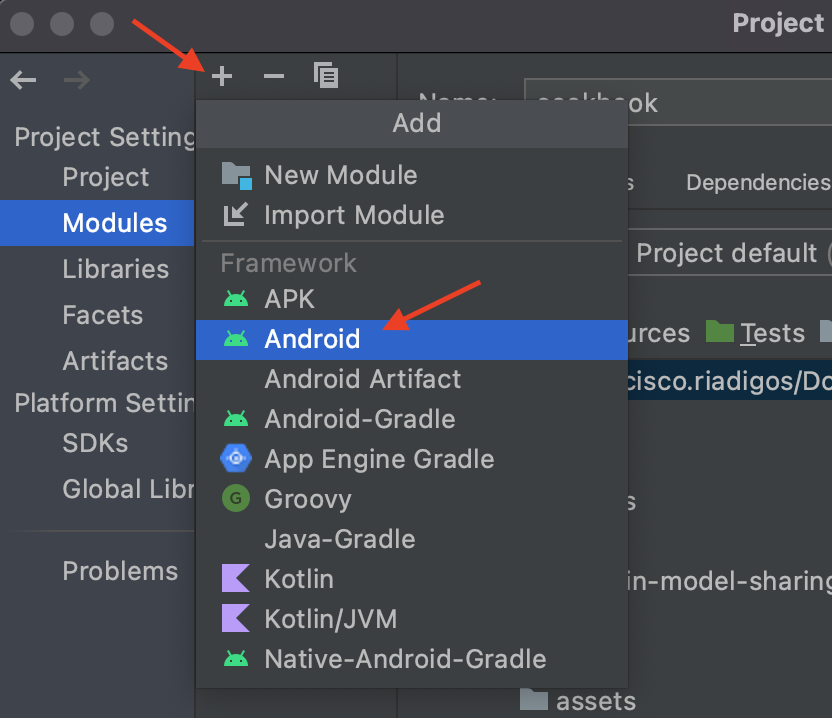
Import
platformhubin Gradlegroovyimplementation "com.skyrin.mobilebanking:platformhub:<latest-version>"Create a plugin
policyLearn more in the article > Plugin policy.
json{ "name": "PluginName", "publish": { "eventStreams": [] }, "subscribeOnStartup": { "eventStreams": [] }, "subscribeOnDemand": { "eventStreams": [] }, "send": { "commands": [], "navigationQueries": [], "queries": [] }, "receive": { "commands": [], "navigationQueries": [], "queries": [] }, "dependencies": [] }Implement the Plugin
interfacekotlin@Singleton class MyPlugin @Inject constructor(private val assetsLoader: AssetsLoader) : Plugin { private lateinit var context: Context private lateinit var configurationFiles: Map<String, InputStream> override fun init( context: Context, configurationFiles: Map<String, InputStream> ) { this.context = context this.configurationFiles = configurationFiles } override val policyFilename = POLICY_FILE override fun publish(eventStream: BaseMessage.EventStream): SharedFlow<EventStreamOutput> = MutableSharedFlow() override fun subscribeOnStartup(subscription: SharedFlow<EventStreamOutput>,eventStream: BaseMessage.EventStream) {} override fun onReceive(message: BaseMessage.Query): JSONObject> = JSONObject("{}") override fun onReceive(message: BaseMessage.Command) {} override fun postMicroKernelInit() {} companion object { const val TAG = "my-plugin" const val POLICY_FILE = "my-plugin-policy.json" } }To use
platformhub-navigationPluginneeds to implement at least one of the router interfaces.
Note:
- When MicroKernel hasn't been initialized yet, and your plugin is attempting to send a message, you can get MicroKernelUninitializedException.
- To resolve this, ensure that your plugin only sends a messages after Microkernel gets initialized. You can use postMicrokernelInit() function (this function is a part of PlatformHub), to check plugin is initialized or not.