Appearance
Schema Validation Tasks
Extract Schemas
This task extracts PlatformHub Plugins payload schemas into a working directory for use with the Validate Schema task.
Output Location
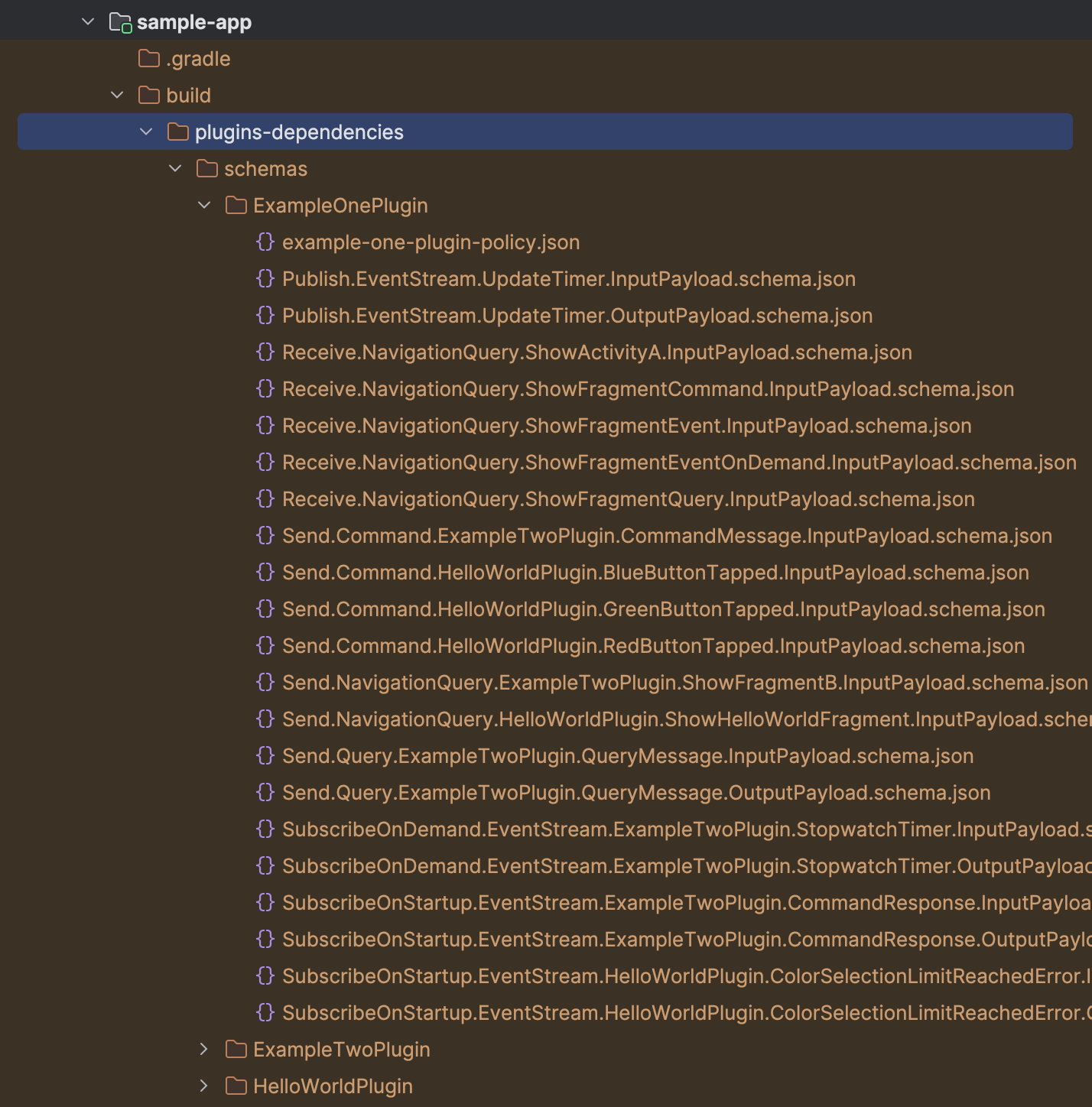
The generated schemas are located at build/plugins-dependencies/schemas under the app module. Each schema file is placed in a directory named after the PlatformHub Plugin policy name field for each Plugin in the app.
Example Structure
Command to Run
Run this task locally using the following command:
shell
./gradlew <appVariantName>ExtractSchemasValidate Schema
This task validates the extracted plugin payload schemas. It depends on the Extract Schemas task, so it automatically runs the extract schema task before validation.
Prerequisites
Add the PlatformHub Tools CI Script in the mobile-ci.json file in your project. More details can be found here. This task triggers the validate-schemas bash script in the PlatformHub Tools CI Script, using the directory of the generated schemas as an input parameter.
Command to Run
Run this task locally using the following command:
shell
./gradlew <appVariantName>ValidateSchemaIgnore Validation Failures
If you want to test your app in the emulator without fixing schema validation issues, you can add the following block to the app's build.gradle file to ignore validation failures:
groovy
platformHubGradlePlugin {
    ignoreValidationFailure = true
}
Schema Validator Script
The recommended way to trigger schema validation is by adding the schema_validator script to the project root -> bin directory.
Script Example
shell
#!/usr/bin/env bash

set -e

# the type variable contains either "debug" or "release" string
type=$1

echo "Validating schemas for ${type}"
./gradlew listVariants && ./gradlew ${type}ValidateSchema

# Please, do not modify above code, append only below the dashes
# --------------------
Command to Run
Run the script locally using the following command:
shell
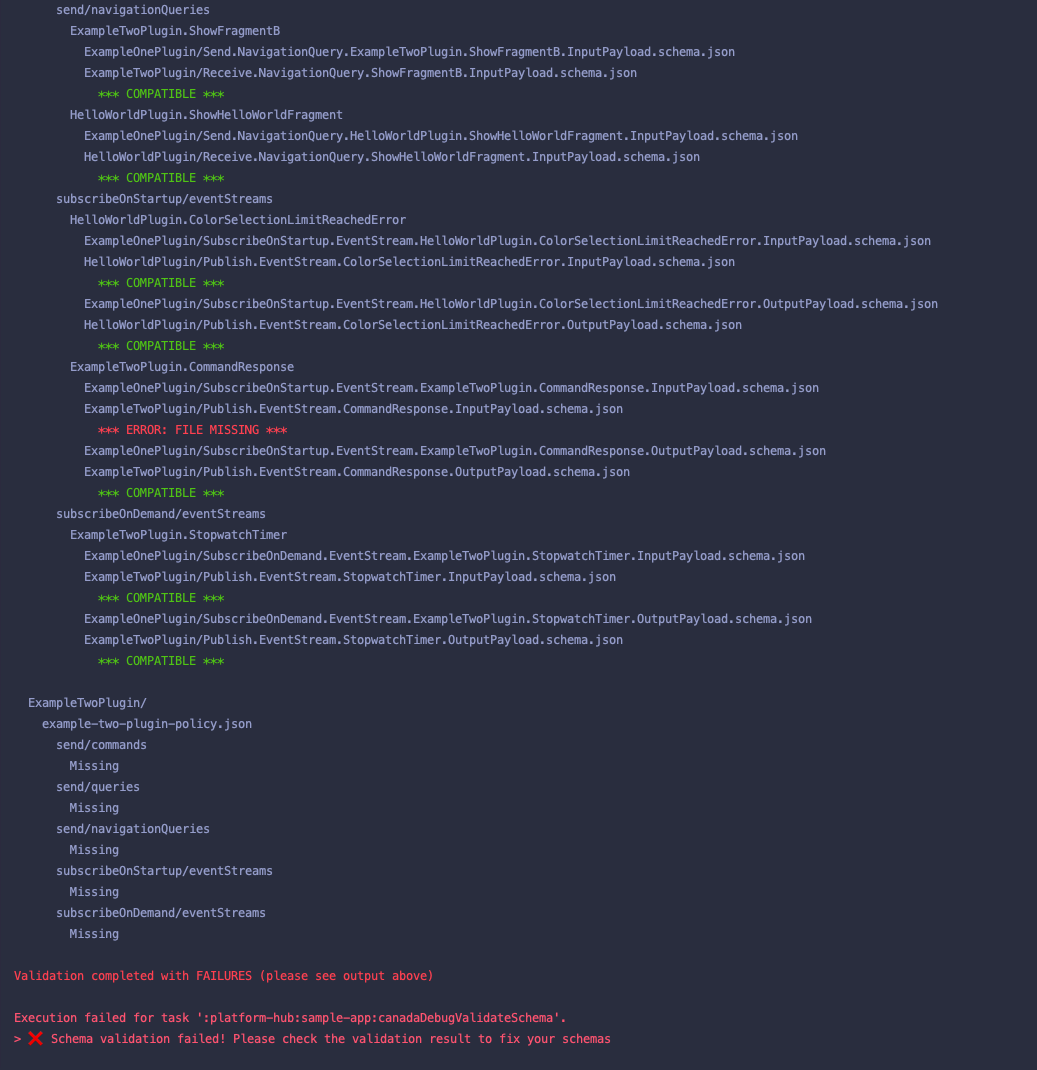
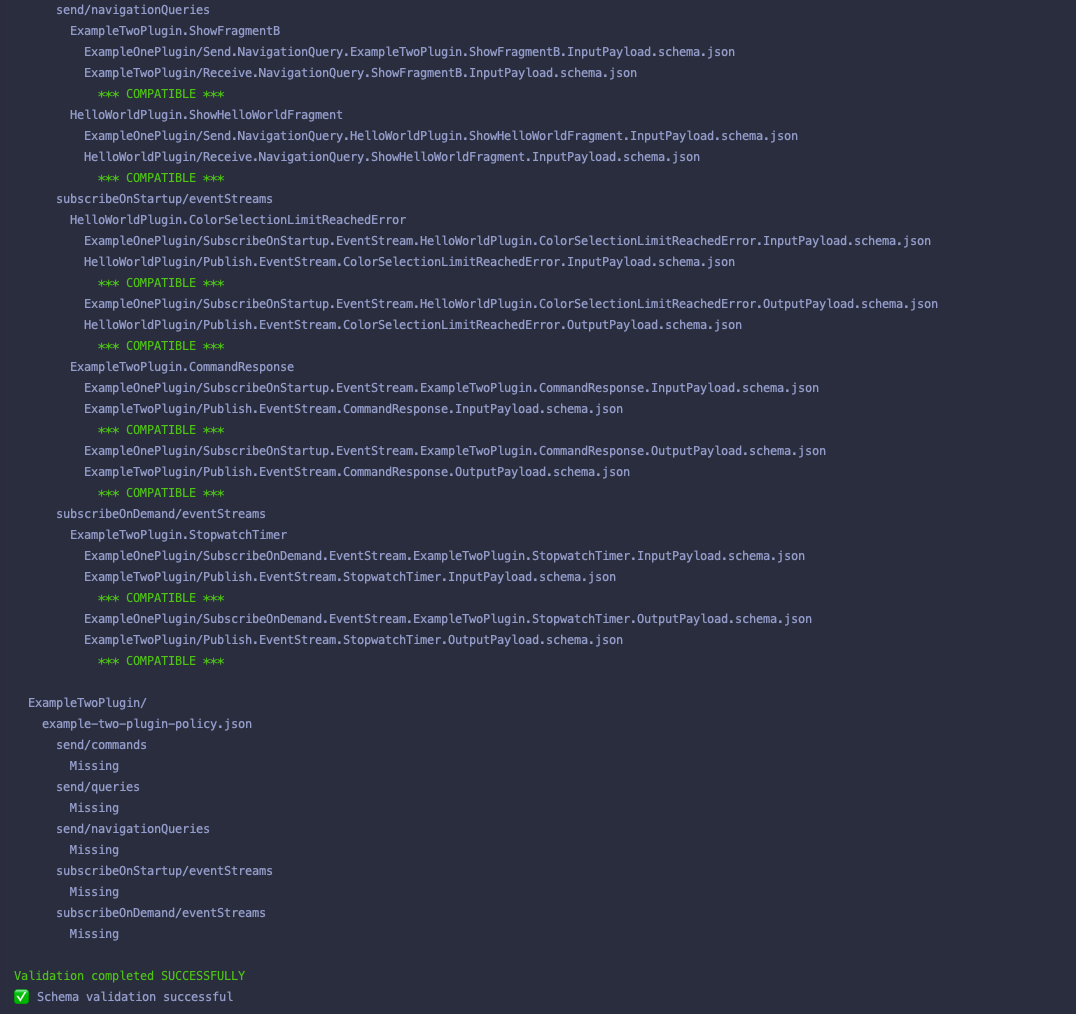
./bin/schema_validator <appVariantName>Example Schema Validation Output
Success Output
Failure Output