Appearance
Policy Validation Tasks
Extract Policies
This task extracts PlatformHub Plugins policies and the app-topics-config.json file into a working directory for use with the policy validation task.
Output Location
The extracted policies are located at build/plugins-dependencies/policies under the app module. Each policy file is placed in a directory named after the PlatformHub Plugin policy name field for each Plugin in the app.
Example Structure
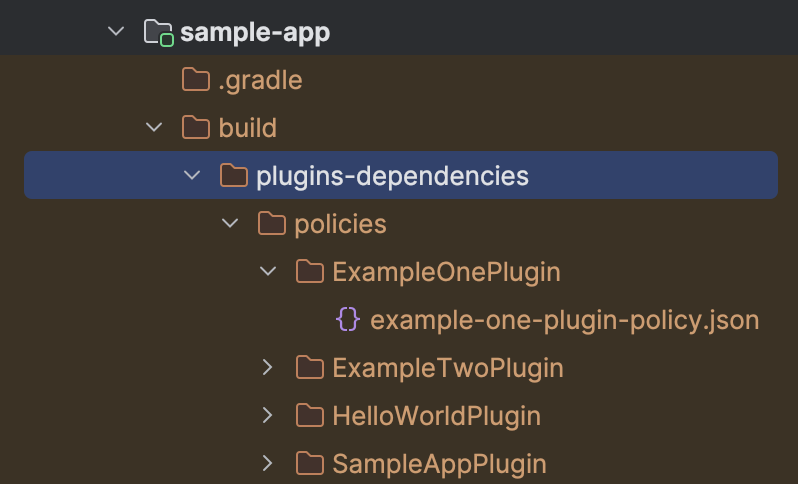
Command to Run
Run the task locally using the following command:
shell
./gradlew <appVariantName>ExtractPoliciesValidate Policies
This task validates the extracted plugin policies. It depends on the Extract Policies task, so it automatically runs the extract policy task before validation.
Prerequisites
Add the PlatformHub Tools CI Script in the mobile-ci.json file in your project. More details can be found here. This task triggers the validate-policies bash script in the PlatformHub Tools CI Script, using the directory of the generated policies as an input parameter.
Command to Run
Run the task locally using the following command:
shell
./gradlew <appVariantName>ValidatePoliciesPolicy Validator Script
The recommended way to trigger policy validation is by adding the policy_validator script to the project root -> bin directory.
Script Example
shell
#!/usr/bin/env bash

set -e

# the type variable contains either "debug" or "release" string
type=$1

echo "Validating policies for ${type}"
./gradlew ${type}ValidatePolicies

# Please, do not modify above code, append only below the dashes
# --------------------
Command to Run
Run the script using the following command:
shell
./bin/policy_validator <appVariantName>Example Policy Validation Output
Success Output
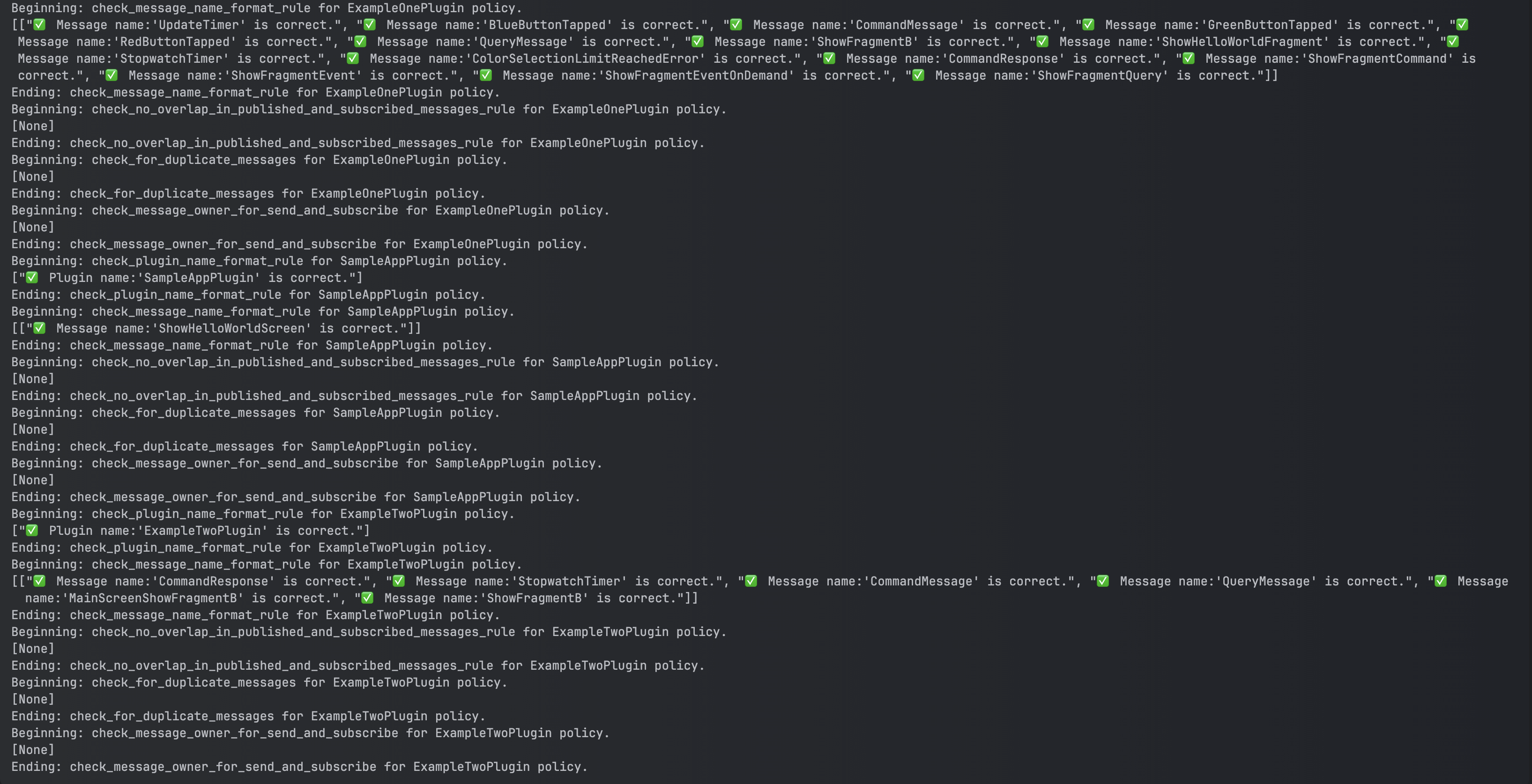
Failure Output
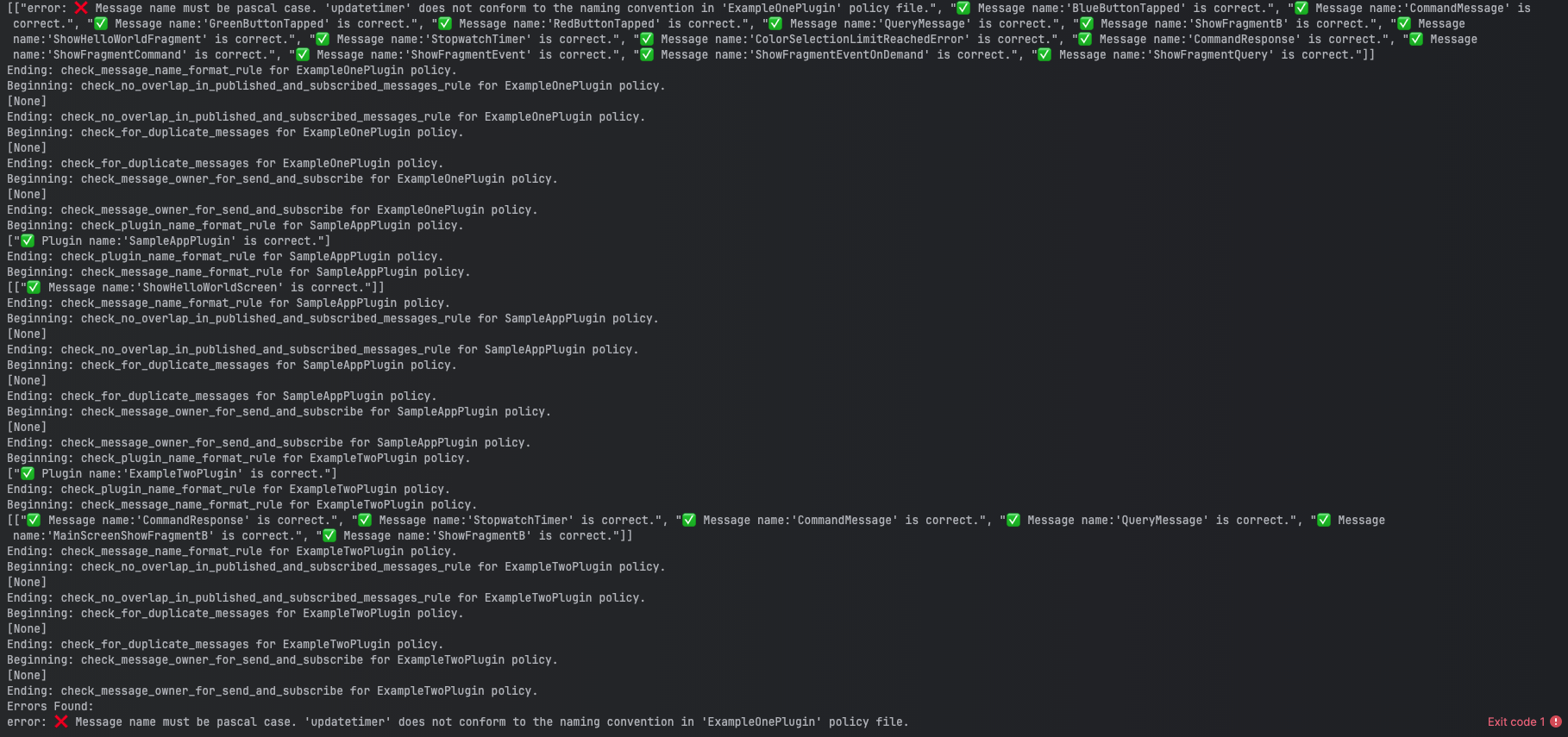
Ignored Policies
You can ignore selected files from compile-time validation checks. This is useful in scenarios such as:
- Work-in-progress (WIP) plugin development.
- Mock plugins.
- Cases where the project structure is incorrect and all policy files are in the main directory of a module but are only used in certain markets or variants.
How to Use
Add an ignored-policies.json file to the src/main/assets directory of the app module. The file should specify the policies to ignore.
Example File Location
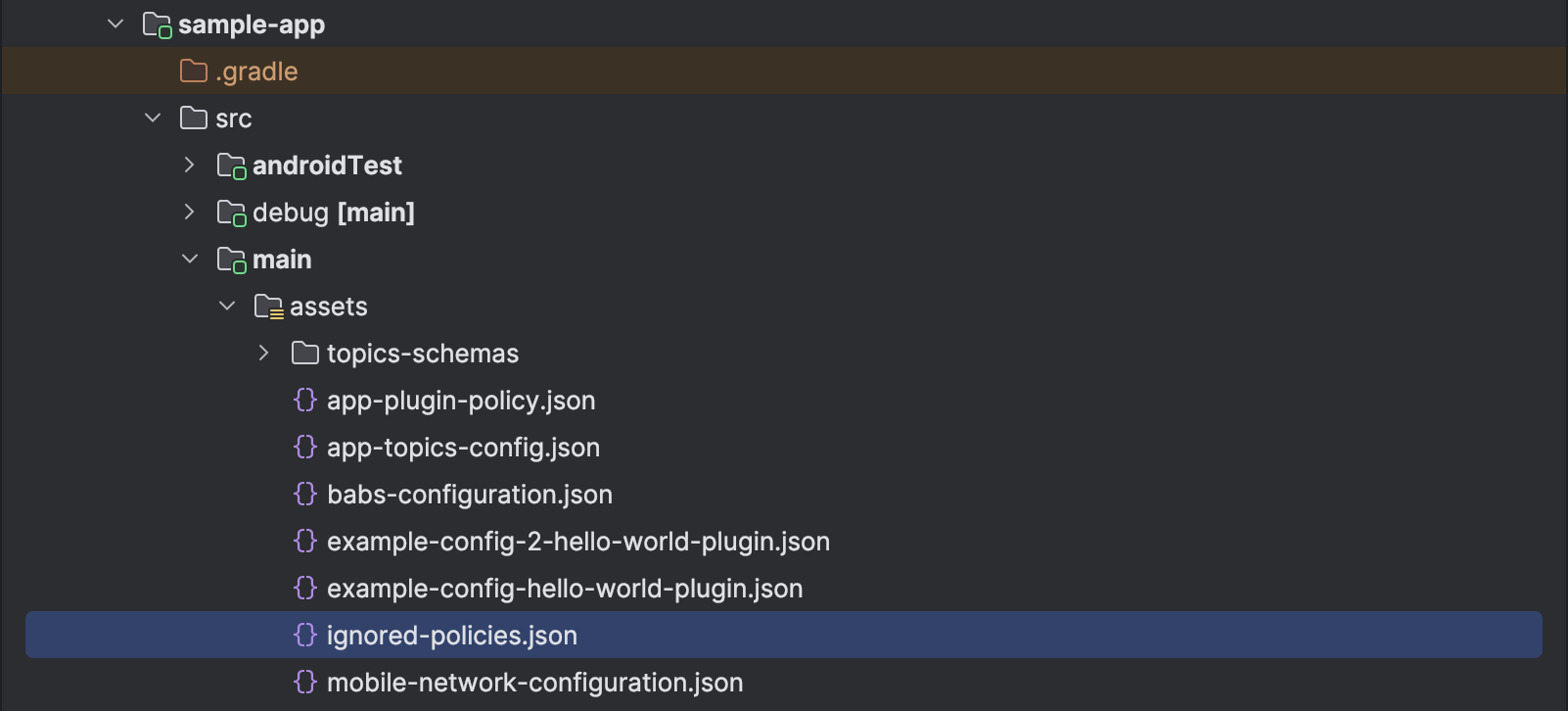
Example ignored-policies.json File
json
{
  "main": ["ignored-from-all-policy.json"],
  "uk": ["ignored-from-uk-policy.json"],
  "ukDebug": ["ignored-from-uk-debug-policy.json"],
  "ukRelease": ["ignored-from-uk-release-policy.json"]
}
Explanation
- Policies in the
mainblock are ignored for all variants and markets. - Policies in the
ukblock are ignored only for the UK market. - Policies in the
ukDebugblock are ignored only for the UK debug variant. - Policies in the
ukReleaseblock are ignored only for the UK release variant.
:::caution
- Use the
ignored-policies.jsonfile sparingly and only when absolutely necessary. - Ensure all policies are validated before going live.
- Policy validation checks will eventually be removed from runtime. Any ignored policies will remain unvalidated, potentially causing crashes or bugs.
Please ensure you have upgraded the PH-tools version to v1.2.1 or above and the PH-Gradle-plugin version to v0.2.8 or above in your project.
:::