Appearance
Versioning & Release
Version semantics
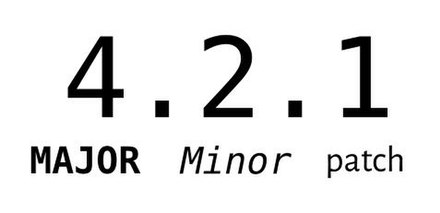
- Major (high risk): backwards compatibility breaking changes. It will be considered a major release if you are doing any of the following:
- removing / renaming messages in a plugin's policy-file receive- or publish sections
- removing / renaming a property in a payload schema or changing its type (e.g. from a
numberto astring) - renaming plugin
- Minor (medium risk): non-breaking features have been implemented. It will be considered a minor release if you are doing any of the following:
- adding new messages to a plugin's policy-file
- adding keys to a message payload schema
- performance optimisation
- Patch (low risk): non-breaking small changes. It will be considered a patch release if you are doing any of the following:
- non-breaking bug-fixes
- fixing typos (unrelated to a plugin's interface definition)
The presence of a pre-release tag (-alpha, -beta) indicates substantial risk, as does a major number of zero (0.y.z), which is used to indicate a work-in-progress that may contain any level of potentially breaking changes (highest risk). A zero in the first ("major") position of the sequence indicates the software is in the experimental stage. After the 1st major release we use -alpha to express the experimental state of the new work in progress version, followed by -beta and -rc (release candidate). Alphas, betas and release candidates can have their own number versioning (i.e. -alpha.3). See the example in the table below:
| Development stage | Semantic versioning |
|---|---|
| Alpha | 1.2.0-alpha.1 |
| Beta | 1.2.0-beta.2 |
| Release candidate (RC) | 1.2.0-rc.3 |
| Release | 1.2.0 |
| Post-release fixes | 1.2.5 |
Releasing a new version of your plugin
- When a plugin is ready to be released and it's taken through the accreditation process, set the framework's bundle version to the final version number you are aiming to release (e.g.
v1.1.3). This way once it is accredited no further changes will need to be done to the bundle. - Once your plugin starts its accreditation process, if you want to release it to Nexus, please release a release candidate (e.g.
v1.1.3-rc.1) since it wouldn't yet be the final accredited version. - If you had to make some changes to your bundle as part of the accreditation process and you want to make a release to Nexus, please keep incrementing the release candidate version (e.g.
v1.1.3-rc.2). - Once the plugin has been accredited, you can then release the final release version (e.g.
v1.1.3). If there has been no changes since your last release candidate, both releases would have been done from the same Git commit, meaning that commit will hold 2 release tags, which is fine.